
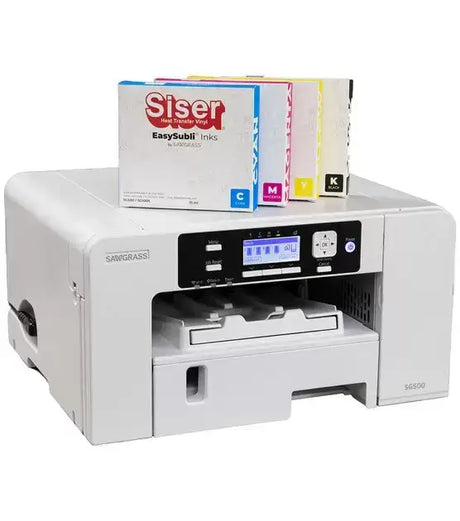
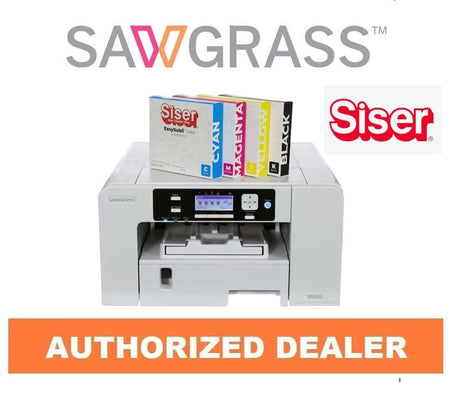
Sawgrass SG500 Sublimation Printer - With Full Size 31ml Inks
Regular price $659.95Unit price-
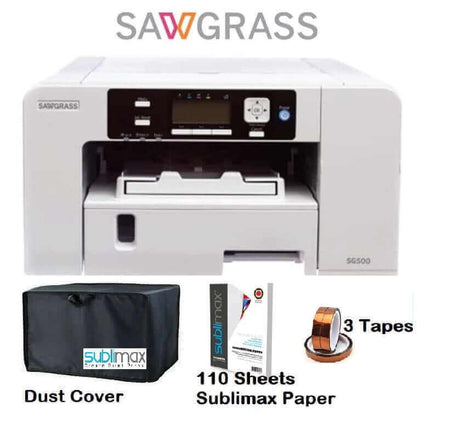
Sawgrass SG500 Versiflex - With Full Size Inks & Transfer Paper
Regular price $699.95Unit price-
- Regular price $599.95Unit price
-
Sawgrass Versiflex SG1000 Printer Bundle
Regular price $1,999.95Unit price-
Sawgrass SG1000 Sublimation Printer System | Complete Kit
Regular price $1,699.95Unit price-
- Sold out
Sawgrass SG500 Sublimation Printer with full size Easysubli inks
Regular price $679.95Unit price -

Sublimation Fun Pack - 10 pieces plus tassels, keyrings and ribbons
Regular price $8.99Unit price




Peace of Mind: 3-Year or 100,000-Print Sawgrass Warranty
Your Sawgrass SG500 or SG1000 printer is backed by a 3-year or 100,000-print manufacturer warranty (whichever comes first), plus engineered reliability with dual stainless-steel print heads, a dedicated capping station, and automatic maintenance for consistent professional printing.
Sawgrass SG500 vs SG1000 for SubliJet UHD & VersiFlex
Choosing between the Sawgrass SG500 and Sawgrass SG1000 comes down mainly to the print sizes you need and the type of products you want to make. Both printers support SubliJet UHD for sublimation on polyester and polymer-coated blanks, and both can also be configured for VersiFlex to decorate cotton, linen, nylon, canvas, uncoated wood, stone, and more.
| Feature | Sawgrass SG500 | Sawgrass SG1000 |
|---|---|---|
| Best for | Smaller-format production, startups, home businesses, mugs, apparel, and everyday customization | Larger-format production, growing shops, bigger transfers, signage, oversized apparel graphics, and expanded product lines |
| Main tray paper size | Up to A4 / Legal | Up to A3 / Tabloid |
| Optional bypass tray size | Up to 8.5" × 51" | Up to 13" × 51" |
| SubliJet UHD compatibility | Yes | Yes |
| VersiFlex compatibility | Yes | Yes |
| Best materials with SubliJet UHD | Polyester fabrics and polymer-coated blanks such as mugs, tumblers, panels, and signage | Polyester fabrics and polymer-coated blanks, with more room for larger transfers and higher-volume workflows |
| Best materials with VersiFlex | Cotton, linen, nylon, canvas, uncoated wood, stone, and poly-coated hard goods | Cotton, linen, nylon, canvas, uncoated wood, stone, and poly-coated hard goods, including larger-format applications |
| Ink configuration note | Choose the ink system you want to run in the printer; Sawgrass notes that once loaded, that ink type remains with the machine | Choose the ink system you want to run in the printer; Sawgrass notes that once loaded, that ink type remains with the machine |
| Connectivity | USB, Ethernet, 2.4GHz Wi-Fi | USB, Ethernet, 2.4GHz Wi-Fi |
| Software support | Sawgrass Print Utility / Sawgrass software ecosystem | Sawgrass Print Utility / Sawgrass software ecosystem |
| Warranty | 3-year Sawgrass printer warranty / 100,000 prints | 3-year Sawgrass printer warranty / 100,000 prints |
Quick recommendation: choose the SG500 if you want a more compact Sawgrass printer for standard-size sublimation and VersiFlex production. Choose the SG1000 if you need larger print sizes, more flexibility for oversized transfers, or room to scale your custom product business.

Which Sawgrass Printer Is Right for You?
Discover the key differences between Sawgrass SubliJet UHD and VersiFlex systems. Learn which printer setup works best for your products — from traditional sublimation on polyester to expanded decorating on cotton, wood, and more.
Introduction to Versiflex Printing System
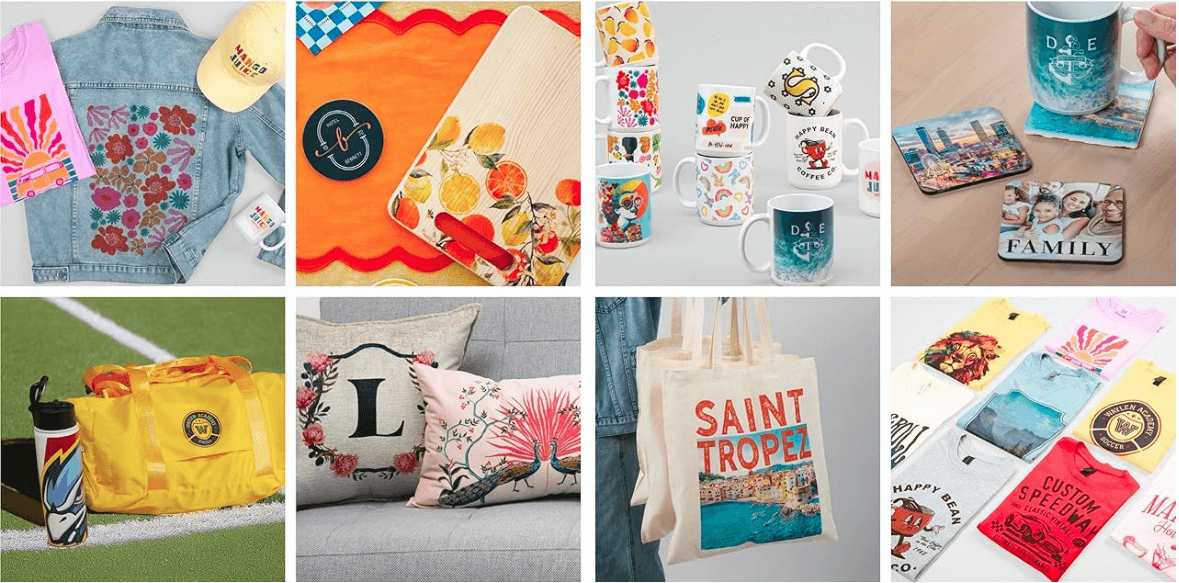
Watch this video to learn how Sawgrass Versiflex printing works and discover what you can create with the Sawgrass SG500 and SG1000 printers. From custom apparel and drinkware to personalized gifts and promotional products, see how these professional sublimation printers deliver vibrant, durable results for your business or creative projects.

SG500 & SG1000 Printer FAQs
What is the difference between the Sawgrass SG500 and SG1000 printers?
What is the difference between the Sawgrass SG500 and SG1000 printers?
Both are professional Sawgrass desktop printers built for either the SubliJet UHD (sublimation) or VersiFlex system. The main difference is maximum print size: SG500 is ideal for smaller-format work, while SG1000 supports larger prints for bigger designs, higher output, and expanded product flexibility.
What's the difference between SubliJet UHD and VersiFlex systems?
What's the difference between SubliJet UHD and VersiFlex systems?
SubliJet UHD is Sawgrass's traditional sublimation system—best for polyester fabrics and polymer-coated blanks. VersiFlex is a hybrid decorating system designed to expand material options when used with the correct VersiFlex transfer media and pressing workflow.
Which printer should I choose: SG500 or SG1000?
Which printer should I choose: SG500 or SG1000?
Choose SG500 if you mainly produce smaller items and want a compact desktop setup. Choose SG1000 if you need larger print capability for bigger apparel designs, signage, and higher throughput. Print size and production volume are usually the deciding factors.
Can I switch my SG500/SG1000 from SubliJet UHD to VersiFlex later?
Can I switch my SG500/SG1000 from SubliJet UHD to VersiFlex later?
It's best to choose the correct system at purchase. Sawgrass printers should run one ink system only, and switching ink families after use can cause contamination, color problems, and reliability issues. If you want both workflows, many shops keep dedicated printers for each system.
What materials can I decorate with SubliJet UHD (sublimation)?
What materials can I decorate with SubliJet UHD (sublimation)?
SubliJet UHD is designed for sublimation applications such as: Polyester apparel and poly blends, Polymer-coated mugs, tumblers, and hard goods, Coated metal panels, photo gifts, and promo products, Coated ceramics and specialty blanks.
What materials can I decorate with the VersiFlex system?
What materials can I decorate with the VersiFlex system?
VersiFlex is designed to expand beyond traditional sublimation when used with compatible VersiFlex transfer media and the correct pressing workflow. It's commonly used for projects on a broader mix of materials (for example cotton-based items and other specialty surfaces) depending on the specific transfer method you choose.
Are Sawgrass printers good for starting a custom printing business?
Are Sawgrass printers good for starting a custom printing business?
Yes. SG500 and SG1000 printers are widely used by startups and established shops because they offer a streamlined workflow, consistent color output, and a strong ecosystem of compatible inks, papers, and blank products—ideal for apparel, gifts, and promotional items.
What software is included with Sawgrass printers?
What software is included with Sawgrass printers?
Sawgrass systems typically include access to Sawgrass Print Manager (for color management and print settings) and CreativeStudio design tools. The exact software access and subscription details can vary by bundle and current Sawgrass programs.
Are you an authorized Sawgrass printer dealer?
Are you an authorized Sawgrass printer dealer?
Yes. We are an authorized Sawgrass dealer, supplying genuine SG500 and SG1000 printers plus official Sawgrass inks and media. Buying from an authorized dealer helps ensure authenticity, proper support, and eligibility for manufacturer-backed coverage (where applicable).


'%3E%3Cpath fill='%235A31F4' d='M53.413.209H4.321A4.063 4.063 0 00.258 4.272v28.523a4.063 4.063 0 004.063 4.063h49.092a4.063 4.063 0 004.063-4.063V4.272A4.063 4.063 0 0053.413.209z'/%3E%3Cpath fill='%23fff' d='M32.678 14.872c0 2.663-1.867 4.564-4.476 4.564h-2.458a.206.206 0 00-.206.207v3.5a.207.207 0 01-.206.207h-1.72a.208.208 0 01-.191-.128.205.205 0 01-.016-.078v-12.63a.206.206 0 01.206-.207h4.602c2.598-.003 4.465 1.898 4.465 4.565zm-2.145 0c0-1.531-1.044-2.65-2.46-2.65h-2.329a.206.206 0 00-.206.207v4.874a.206.206 0 00.206.206h2.329c1.416.01 2.46-1.11 2.46-2.637zM33.188 20.927a2.453 2.453 0 011.026-2.104c.671-.505 1.72-.766 3.26-.82l1.64-.058v-.484c0-.97-.65-1.38-1.694-1.38s-1.706.37-1.858.975a.2.2 0 01-.198.144h-1.62a.203.203 0 01-.206-.235c.24-1.434 1.433-2.524 3.956-2.524 2.684 0 3.653 1.25 3.653 3.636v5.066a.209.209 0 01-.21.207h-1.633a.209.209 0 01-.146-.06.206.206 0 01-.06-.146v-.379a.155.155 0 00-.268-.109c-.49.533-1.281.918-2.548.918-1.864 0-3.094-.97-3.094-2.647zm5.926-1.098v-.393l-2.124.112c-1.119.057-1.77.522-1.77 1.305 0 .708.597 1.1 1.64 1.1 1.417 0 2.254-.765 2.254-2.124zM42.787 27.178V25.71a.21.21 0 01.25-.204c.25.047.505.071.76.072a1.961 1.961 0 001.975-1.4l.106-.338a.218.218 0 000-.14l-3.403-8.74a.21.21 0 01.194-.286h1.65a.21.21 0 01.194.135l2.311 6.164a.21.21 0 00.396 0l2.007-6.147a.21.21 0 01.2-.144h1.707a.212.212 0 01.197.287l-3.64 9.706c-.838 2.256-2.275 2.833-3.857 2.833-.3.008-.6-.028-.89-.107a.212.212 0 01-.157-.223zM12.352 9.579a8.475 8.475 0 00-5.844 2.28.37.37 0 00-.046.495l.981 1.34a.375.375 0 00.573.045 6.063 6.063 0 014.344-1.775c3.364 0 5.121 2.532 5.121 5.032 0 2.718-1.846 4.63-4.499 4.668-2.05 0-3.595-1.359-3.595-3.154a3.065 3.065 0 011.133-2.365.37.37 0 00.051-.516L9.54 14.327a.376.376 0 00-.536-.055 5.448 5.448 0 00-2.03 4.238c0 3.09 2.626 5.514 5.99 5.534h.045c3.994-.052 6.882-3.01 6.882-7.053 0-3.59-2.644-7.412-7.538-7.412z'/%3E%3C/g%3E%3Cdefs%3E%3CclipPath id='clip0'%3E%3Cpath fill='%23fff' d='M0 0h57.699v37H0z'/%3E%3C/clipPath%3E%3C/defs%3E%3C/svg%3E)